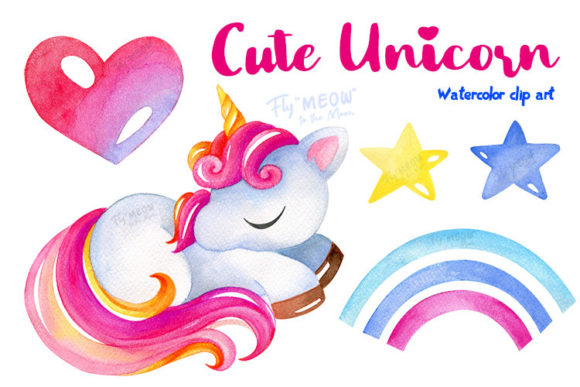
Unlocking the Magic of Watercolor Cute Unicorn Clip Art for Your Creative Projects
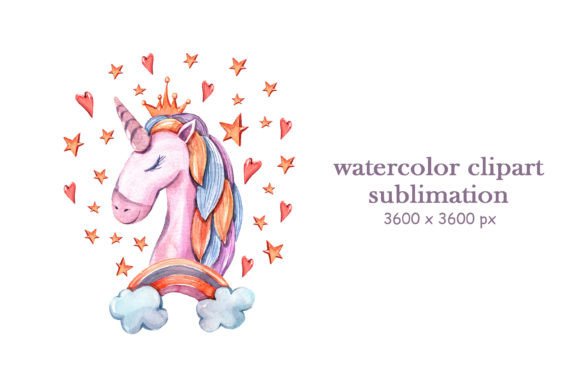
There is a distinct charm to hand-painted imagery that digital vectors simply cannot replicate. The soft bleed of pigment, the organic texture of the paper, and the subtle variations in tone give Watercolor Cute Unicorn Clip Art a warmth that instantly elevates any design. Whether you are a small business owner creating branding for a children's boutique, an educator designing classroom rewards, or a hobbyist planning a magical birthday party, these assets offer a shortcut to professional-looking results. However, the ease of downloading a file often leads creators to overlook critical details that can compromise the final quality of their work. By understanding the nuances of resolution, file formats, and color management, you can ensure your projects stand out for the right reasons.
The Resolution Trap: Why 300 DPI Matters More Than You Think
One of the most frequent misunderstandings among beginners involves image resolution. When browsing for a Watercolor Unicorn Clipart Set, it is tempting to focus solely on the visual appeal of the thumbnail. Yet, a beautiful image becomes useless if it appears pixelated when printed. Many low-quality freebies found online are saved at 72 DPI (dots per inch), which is suitable only for screens. When you attempt to print these on an invitation or a t-shirt, the result is often blurry and unprofessional.
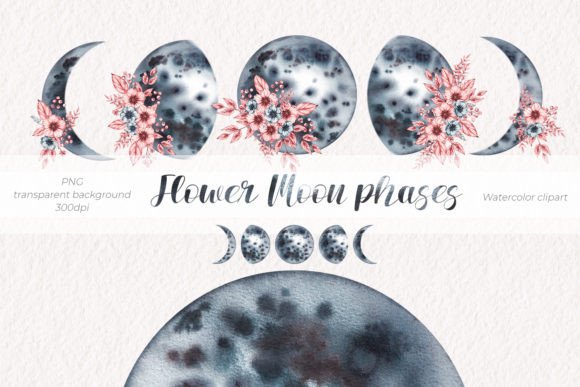
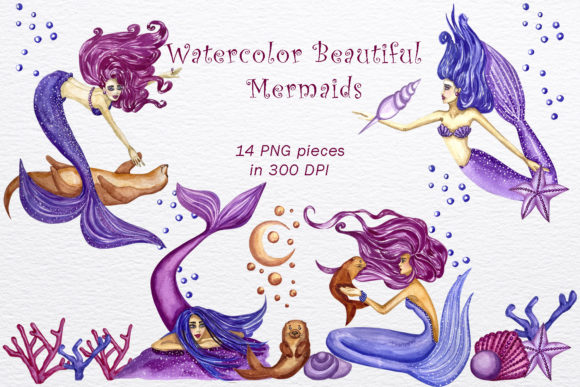
To avoid this disappointment, always verify that your chosen set offers high-resolution 300 DPI files. This standard ensures that the delicate brushstrokes of the watercolor remain crisp, even when scaled up for posters or large party decorations. A premium set typically includes images stored in separate PNG files, allowing you to resize them without losing clarity. Remember, starting with a high-resolution source gives you the flexibility to use the art across various mediums, from tiny stickers to large banners, without needing to search for a replacement later.
Transparency and File Formats: The Hidden Workflow Killers
Another area where efficiency is often lost is in the file format. A common mistake is purchasing or downloading clip art saved as JPEGs. While JPEGs are universal, they do not support transparent backgrounds. This means you would be stuck with a white box around your unicorn, forcing you to spend valuable time manually erasing the background in editing software—a task that is particularly difficult with watercolor textures due to their soft, fading edges.
The superior approach is to select a set where all images are provided in PNG format with a transparent background. This feature allows you to layer the unicorn directly onto colored paper textures, patterned backgrounds, or photographs seamlessly. For instance, if you are designing a greeting card, a transparent PNG lets the unicorn sit naturally on the cardstock color rather than looking like a sticker pasted on top. Before finalizing a purchase, check the product description to confirm that each element is stored in a separate file. This organization saves you from having to crop individual elements from a larger sheet, streamlining your workflow in software like Photoshop or Canva.
Managing Color Expectations: Screen vs. Print Reality
Even with the perfect file, a disconnect often occurs between what you see on your monitor and what comes out of your printer. Watercolor art relies heavily on subtle gradients and pastel hues, which are notoriously difficult to reproduce accurately across different devices. A frequent frustration arises when creators assume the colors on their screen will match the physical print exactly. Monitors emit light, while printers use ink or toner, leading to inevitable variations in saturation and brightness.
To mitigate this, it is essential to adopt a mindset of adjustment rather than perfectionism. If you are printing professionally, request a proof before running a large batch of invitations or stationery. For DIY projects using home printers, consider calibrating your printer settings to "photo" or "high quality" and use paper specifically designed for inkjet or laser printing, depending on your machine. Understanding that colors may vary due to hardware differences prevents unnecessary dissatisfaction. Instead of viewing slight shifts as errors, treat them as part of the organic nature of working with watercolor-inspired designs.
Maximizing Versatility Across Different Mediums
A high-quality Watercolor Cute Unicorn Clip Art set is an investment that pays off when utilized across multiple platforms. A common oversight is limiting the use of these graphics to a single project, such as a birthday invite. However, these hand-painted elements are incredibly versatile. Because they are digital products available for instant download, you can deploy them immediately across a wide range of applications.
Consider the following expanded uses for your clip art:
- Party Decorations: Create cohesive bunting, cupcake toppers, and welcome signs that match your invitations perfectly.
- Merchandise: Apply the designs to t-shirts and baby clothes using heat transfer vinyl or direct-to-garment printing services.
- Digital Presence: Enhance web designs, blog headers, and social media graphics with unique, non-generic imagery.
- Planners and Stationery: Design custom stickers, planner inserts, and journal covers that add a personal touch to organizational tools.
- Scrapbooking: Incorporate the elements into digital or physical scrapbook layouts to capture memories with a whimsical flair.
By planning ahead, you can create a unified brand aesthetic or event theme. For example, using the same unicorn motif on your email newsletter, your product packaging, and your thank-you cards creates a professional and memorable experience for your audience.
Navigating the Download and Usage Process
Finally, the technical aspect of acquiring and opening these files often trips up less tech-savvy users. Most premium sets are delivered as a ZIP file containing the individual PNG images. A typical error occurs when users try to open the ZIP file directly within their design software, which usually results in an error message. The correct procedure is to first extract or unzip the folder to your computer's hard drive. Once extracted, you will see the separate image files ready for import.
Furthermore, remember that this is a digital product; no physical items will be shipped to you. After payment, the files are typically available for instant download via your account dashboard or a link sent to your registered email. It is wise to save these files to a dedicated folder on your computer and back them up to a cloud service immediately. This ensures that even if your device fails, your creative assets remain safe. Whether you are using advanced tools like Photoshop or user-friendly apps, having organized, accessible files is the first step toward a smooth creative process.
In conclusion, integrating Watercolor Cute Unicorn Clip Art into your projects can transform ordinary designs into enchanting visuals. By paying attention to resolution, insisting on transparent PNGs, managing color expectations, and understanding the file handling process, you avoid the common pitfalls that hinder many creators. These hand-painted elements are more than just pictures; they are versatile tools that, when used correctly, can elevate your craft projects, business materials, and personal creations to a new level of quality and charm.